
Curtain Handover: Make the Selected Hanging Mode Clear
Connect the approved curtain header to its chosen rod or rail arrangement, distinguish the actual accessories and state what setup remains unresolved.
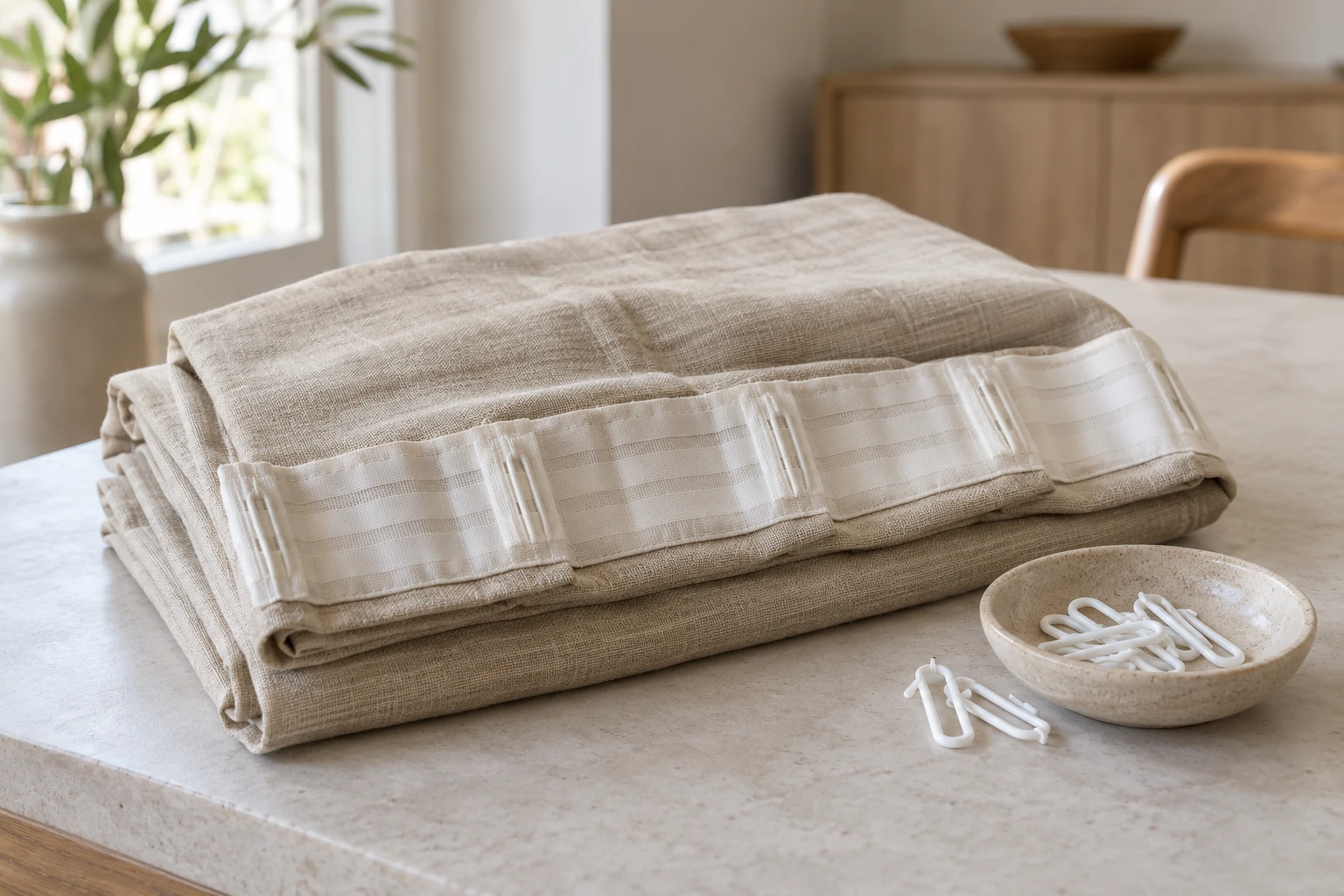
A curtain with several possible hanging methods still needs one selected arrangement for the room receiving it. Before handing over the panels, make the chosen connection to the actual rod or rail understandable. A leaflet showing every option can leave the recipient with the right fabric and no clear answer about which option the project intended.
Begin with the curtain and room system already selected. The task is to reconcile the recipient’s view, the approved header and the accessories for that selection. Panel quantities, dimensional acceptance and the position of a hardware pouch in the shipping pack should already have their own answers.
Read the room-side arrangement first
Identify the destination window and the rod or rail reference that the responsible project owner has selected. Preserve whether that system is existing, supplied separately or still awaiting installation. A handover for an existing rail should not start with an illustration of a rod merely because the curtain seller uses that image prominently.
Ask for the approved attachment route in ordinary language. Depending on the actual product, the relevant distinction might be a panel using its rod pocket, a panel using tabs, or heading tape linked to a rail through specified hooks and gliders. These are descriptions to resolve against the exact items and their instructions, not a menu of interchangeable methods.
IKEA’s DYTÅG 606.078.02 page describes rod-pocket or tab hanging and a track-rail arrangement using gliders and hooks. That is a bounded example of multiple described options on one named curtain. It does not identify the selected method or supplied accessories for another seller’s curtain. DYTÅG heading-tape options
Where the room system is unidentified, keep the connection unresolved. Asking the recipient to choose whichever loose part appears to fit would transfer an unfinished product decision to the person opening the pack.
Turn possible methods into one recipient view
Retain the applicable manufacturer instructions, including any necessary alternatives or warnings. Alongside them, prepare a short selection note that points to the chosen mode. It should say which illustrated option applies to this window and which images are merely other options described by the maker. Do not edit the original instructions to remove qualifications.
The selected view needs to join both sides of the connection: the actual header and the identified room system. A close-up showing only fabric tape may establish which header was supplied, but it leaves the room-side interface unseen. Conversely, a photograph of an installed rail says nothing about which attachment arrangement the curtain uses.
An already available, applicable reference image or marked proposal can communicate that relationship. If a real installed view is unavailable, label the proposal as a proposal. Do not stage an overhead hanging demonstration or present a generic catalogue image as the completed room. The note can be useful before installation without pretending installation has occurred.
Explain each loose item by its role in the chosen mode
Bring forward the approved accessory identities, then ask whether each belongs to the selected connection. Use the exact component reference where one exists. “Hooks included” is too broad when the rail-side item and the header-side item have not been matched in the approved arrangement.
Record accessories in three useful groups: supplied for this mode, required but separately supplied, and supplied spares or alternatives that are not part of the current selection. Do not invent counts. If the actual required count or component identity remains unanswered, put that specific gap beside the affected window.
This grouping has a different purpose from locating a pouch. The recipient may find every bag successfully and still misunderstand which bag is relevant. A spare accessory should not appear in the selected-view caption as an instruction to add it. An accessory excluded from the curtain purchase must remain visible if the chosen route relies on it.
A window-to-header selection worksheet
Complete this original editorial worksheet for each distinct window/system combination. Repeated identical combinations can share the same reference only when their actual inputs match.
| Selection field | Entry to carry into the handover | Decision if unanswered |
|---|---|---|
| Approved panel and header | Exact curtain variant and accepted header detail | Confirm that the selected view represents this header |
| Room-side system | Window location and actual rod or rail reference | Obtain the project owner’s system identification |
| Chosen attachment path | Selected mode and applicable instruction/view reference | Keep the mode unresolved; do not choose by appearance |
| Loose parts for this path | Actual included references and confirmed quantities | Resolve the particular missing identity or quantity |
| Separate supply and unused alternatives | Required items from elsewhere; spares or unchosen parts clearly distinguished | Confirm separate supply before describing a complete arrangement |
| Recipient setup still required | Stated remaining work and the responsible provider’s scope | Do not label a planned installation as completed |
| Unresolved interface | Exact header-to-accessory or accessory-to-system question | Return that question to the responsible product or installation reviewer |
Read across the row set as one arrangement. A confirmed curtain entry and a confirmed rail entry do not close an unanswered connection between them. The worksheet communicates the selection; it supplies no fixing design, installation method or performance approval.
Fictional decision: a rail room with a rod-pocket picture
In a fictional furnishing project, pair C-R is assigned to room R, whose approved plan names rail T. The handover cover sheet shows the curtain suspended through a rod pocket. The accessory list mentions set H, but neither the image nor the list explains its role with T. All references, replies and decisions in this example are invented.
The buyer first asks whether the rod-pocket picture is only a general product image or represents an intended change of hanging mode. This avoids assuming that the room must change its system or that the curtain is necessarily unsuitable.
Suppose the product owner confirms that the picture was generic and returns a proposed rail-mode view identifying C-R, T and H. The buyer can replace the cover-sheet image with that identified proposal. However, the reply leaves the rail-side glider reference unanswered. The corrected picture therefore remains a proposed configuration with an open interface; it is not a complete setup instruction.
A useful next question is: which actual glider forms the approved connection between H and T, and where is it supplied? If that answer cannot be established, the buyer can keep this window’s hanging handover pending or ask the project owner to review another supported arrangement. The buyer should not mix components from an unrelated window to make the drawing look complete.
When an applicable answer is returned, the selection note can identify the agreed rail route and its actual supply split. Any wall or ceiling mounting work still needs its own responsible confirmation. The fictional outcome is a clear selected arrangement, with remaining installation status stated honestly; no hanging trial has occurred.
Keep later replacements on the same selected route
If a rail, glider, hook set or header changes later, revisit the connection it affects. A panel with the same colour and size may have a different header, while an apparently similar accessory may belong to another arrangement. Preserve the selected mode as a requirement when asking about a replacement, rather than assuming a matching appearance maintains it.
For Homeware textiles, a focused sourcing enquiry can describe the approved curtain, selected room system and exact connection still unanswered. Use supported links, text or an image preview. Agree any separate document exchange and installation review directly; the form’s image field is not a PDF, CAD or ZIP channel.
Frequently asked questions
How do I hand over heading-tape curtains for a rail?
Identify the actual curtain header and room rail, then obtain the selected connection and its applicable instructions. State which loose components belong to that route and which come from a separate supply. If a header-to-hook or hook-to-rail interface remains unanswered, keep that part of the handover pending rather than choosing an accessory by appearance.
What if the curtain leaflet shows several hanging methods?
Keep the complete manufacturer instructions and add a selection note identifying the option intended for this room. Distinguish general alternatives from the chosen view without deleting relevant warnings or qualifications. If the note and room system disagree, resolve that conflict before the recipient is asked to set up the curtain.
Does a supplied hook pouch prove the curtain is ready to hang?
No. Finding the correct pouch resolves an accessory-location question. The selected hanging arrangement still needs the applicable component identities, required supply and room-system connection. Mounting work may also remain. Describe what is established and what is outstanding instead of letting an included pouch imply a completed installation.
What changes when a curtain rail or header is replaced?
Revisit the particular connection affected by the replacement. Preserve the intended mode and room reference, then ask the responsible reviewer whether the new header, rail or accessory maintains the supported arrangement. Matching colour, dimensions or outward appearance cannot substitute for that answer. Do not alter the physical connection to demonstrate equivalence.
Sources
Discuss a sourcing request related to this article.Curtain Handover: Make the Selected Hanging Mode Clear